

The single cell analysis package scvi-tools allow you to model data quickly and easily if you have access to a GPU. On a typical dataset (~100,000 cells) fitting a useful model takes a few minutes. However, if you don’t have access to a GPU, fitting a model is substantially slower, changing from “it can finish while I check my emails” to “I’ll work on something else until it’s finished”.
About a year ago, scvi-tools added support for metal performance shaders (MPS), a compute accelerator on M-series Mac processors. If you’re analyzing single cell data on a modern Mac, installing scvi-tools with MPS support and using accelerator="mps" substantially speeds up SCVI model fitting without needing to move your work to a Linux server.
After optimizing a couple of training parameters (batch size: 512, learning rate: 0.004), useful models on typical datasets can be trained with MPS acceleration in about five minutes.
Training SCVI on CPU vs MPS
To test the improvement in training time we use a dataset by Chen et al. 2023, where the authors collected 90,852 cells from mouse spleens to study the immune response to surgically induced sepsis.
Since we are just interested in the training times, we can fit the model for just five epochs to quickly get timings, as well as getting data on initial training loss dynamics. (For analysis, I would recommend at least 25 epochs for a dataset with 100,000 cells).
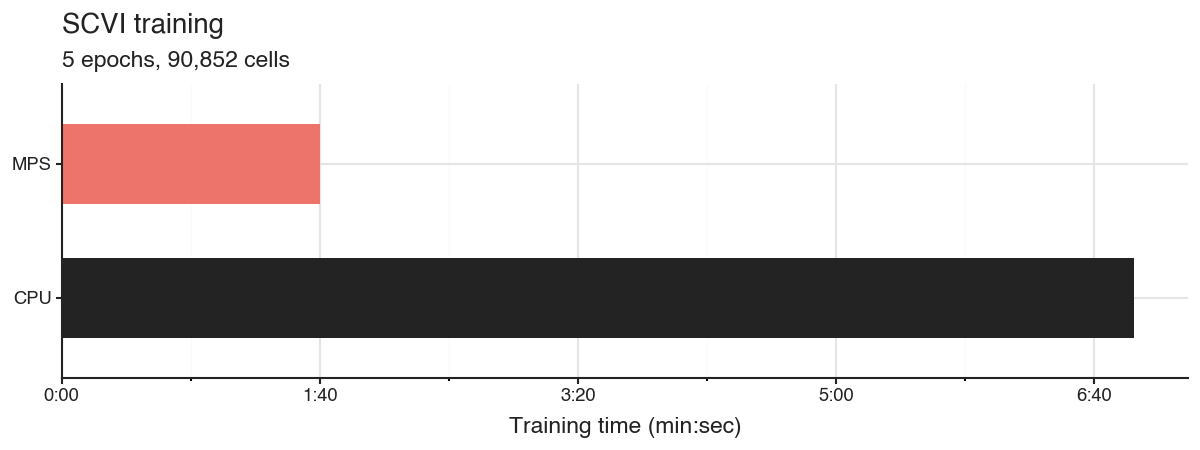
Training five epochs with CPU takes 6m 55s, while using the MPS accelerator only takes 1m 40s. This alone makes training four times faster, but we can optimize it a bit further.
Increase batch size for faster MPS training
On Macs with M-series processors, MPS uses the same unified RAM as the CPU. This means the accelerator has a large amount of memory to work with (at least relative to consumer level GPUs). This means we can send more data at a time to the accelerator in batches. The default batch size in the SCVI trainer is 128.
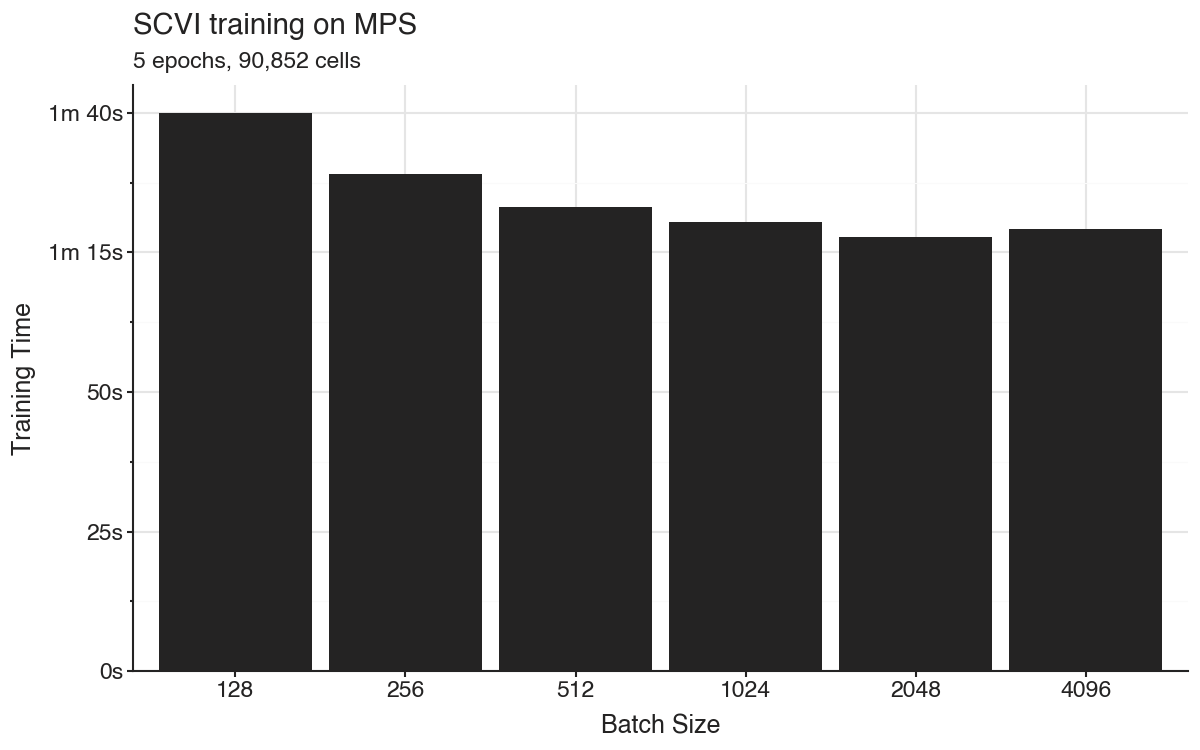
When increasing the batch size to 2,048 we get the training time for five epochs down to 1m 17s.
Recover loss performance by scaling learning rate
Increasing the batch size comes at a cost. The model is only updated once per batch, and larger batches mean fewer updates. As a consequence, the optimizer explores the parameter space slower. This leads to worse models with the same number of epochs. We also observe this over the five epochs in the benchmark training models.
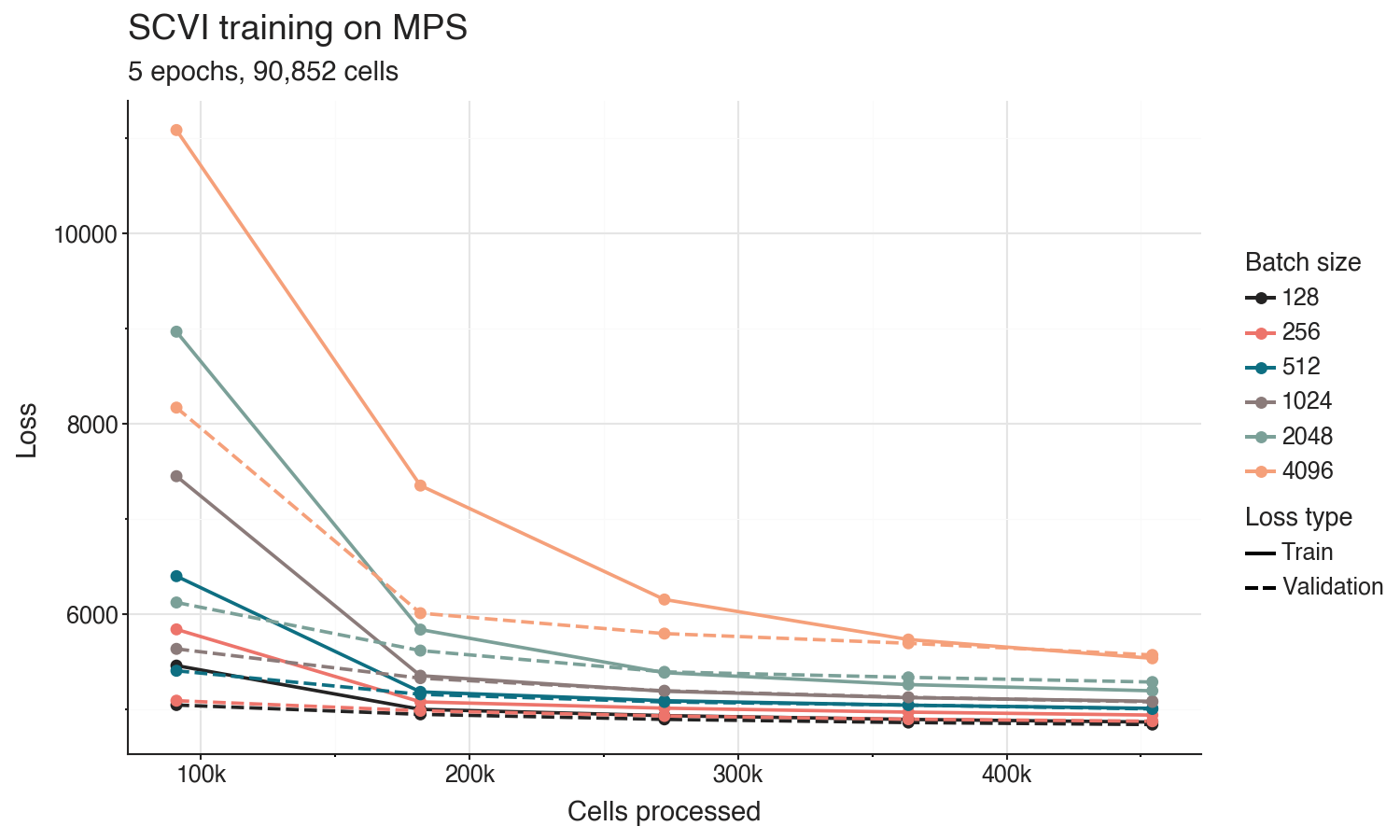
To adjust for this effect, we can scale the learning rate of the training optimizer relative to the batch size. This way the model will take larger steps when there is a smaller number of updates.
A common and effective learning rate scaling approach is just to proportionally increase it with the batch size. Since the default batch size of 128 and default learning rate 0.001 in SCVI generally work very well for training, we can set a batch size scaled learning rate as batch_size * 0.001 / 128.
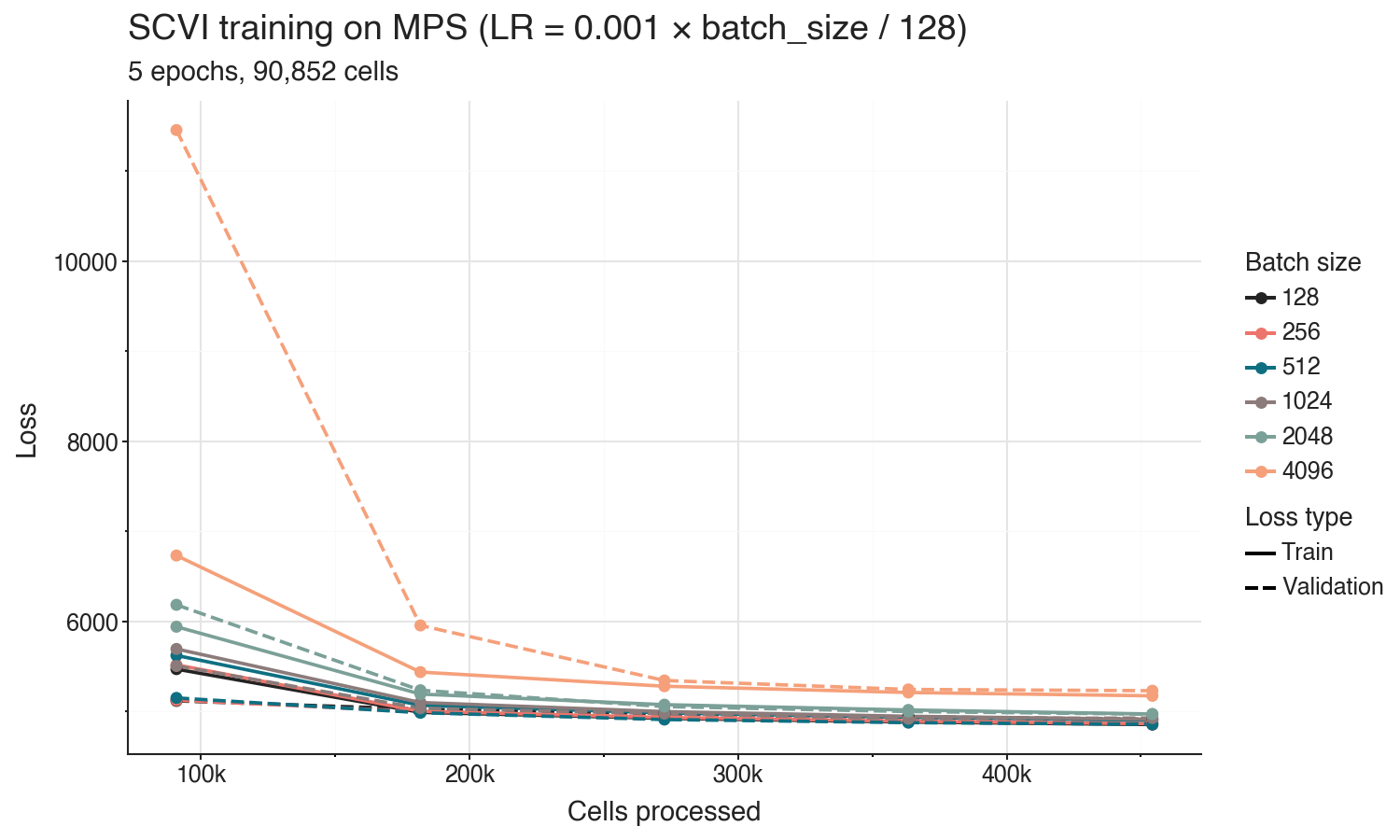
Changing the learning rate does not affect the training time, but will change the training loss dynamics over epochs. The proportional learning rate scaling does not recover the loss performance for the largest batch sizes, but we can identify a balance of training time and performance.
Conclusion
Based on the experiments, we get good training dynamics with a batch size of 512 when scaling the learning rate to 0.004. With these settings, training the five epochs takes 1m 23s. For a dataset with ~100,000 cells you usually get a useful SCVI model at 20-25 epochs, which would take around five minutes to train.
Batch Size    LR      Time     Val Loss
128           0.001   100.0s   4911
256           0.002   89.0s    4880
512           0.004   83.1s    4856
1024          0.008   80.5s    4925
2048          0.016   77.7s    4968
4096          0.032   79.2s    5228
I tried using SCVI with MPS a bit less than a year ago, but back then I couldn’t get it to work. If I had to guess, I had probably messed up my PyTorch installation. This time I didn’t have any issues getting it working. You can install scvi-tools with MPS support using pip install -U scvi-tools[metal].
Over the last year I have been using the free tier of LightningAI to train SCVI models for hobby projects. I like it, and might use it if I want to test something on larger data. But it will be nice to try simpler experiments locally.
Scripts for these benchmarks are available on GitHub: https://github.com/vals/Blog/tree/master/260114-scvi-metal
From around the web
