

I was reminded that about a year ago (May 2025) I investigated whether LLM-based website crawlers could be used to extract how many cells were collected for individual single-cell papers. I used a service called Firecrawl to test this on ~100 papers from the single-cell studies database. Firecrawl failed to find numbers for 38% of the papers, and 27% of the papers had an exact match with manual annotations.
Over the past year, abilities of AI tools have matured a lot. I wondered how they would perform on exactly the same task now?
When I did this with Firecrawl last year, I called their API from a Jupyter notebook. I had read in a TSV with the ~100 paper DOI’s into a Pandas dataframe that I looped over, calling their API for each DOI URL (with some manual rate limiting.)
I thought of two ways I would do this now. First, using Claude Cowork: I connected it to a folder that had a TSV with the ~100 DOIs (I used the same file as from 2025) and prompted it “In this folder there is a list of DOIs for papers that published scRNA-seq data. For each paper, we need to know exactly how many single cells were collected in each study.”
The second was with Claude Code: I started a session in folder that had the TSV, and prompted it “In this folder there is a list of DOIs for papers where scRNA-seq data was produced. We need to find exactly how many cells were collected for each paper. Ultracode an optimal workflow to get this data.” Ultracode (or ‘dynamic workflows’) is a pretty new feature that allows Claude Code to figure out good parallelization strategies for tasks.
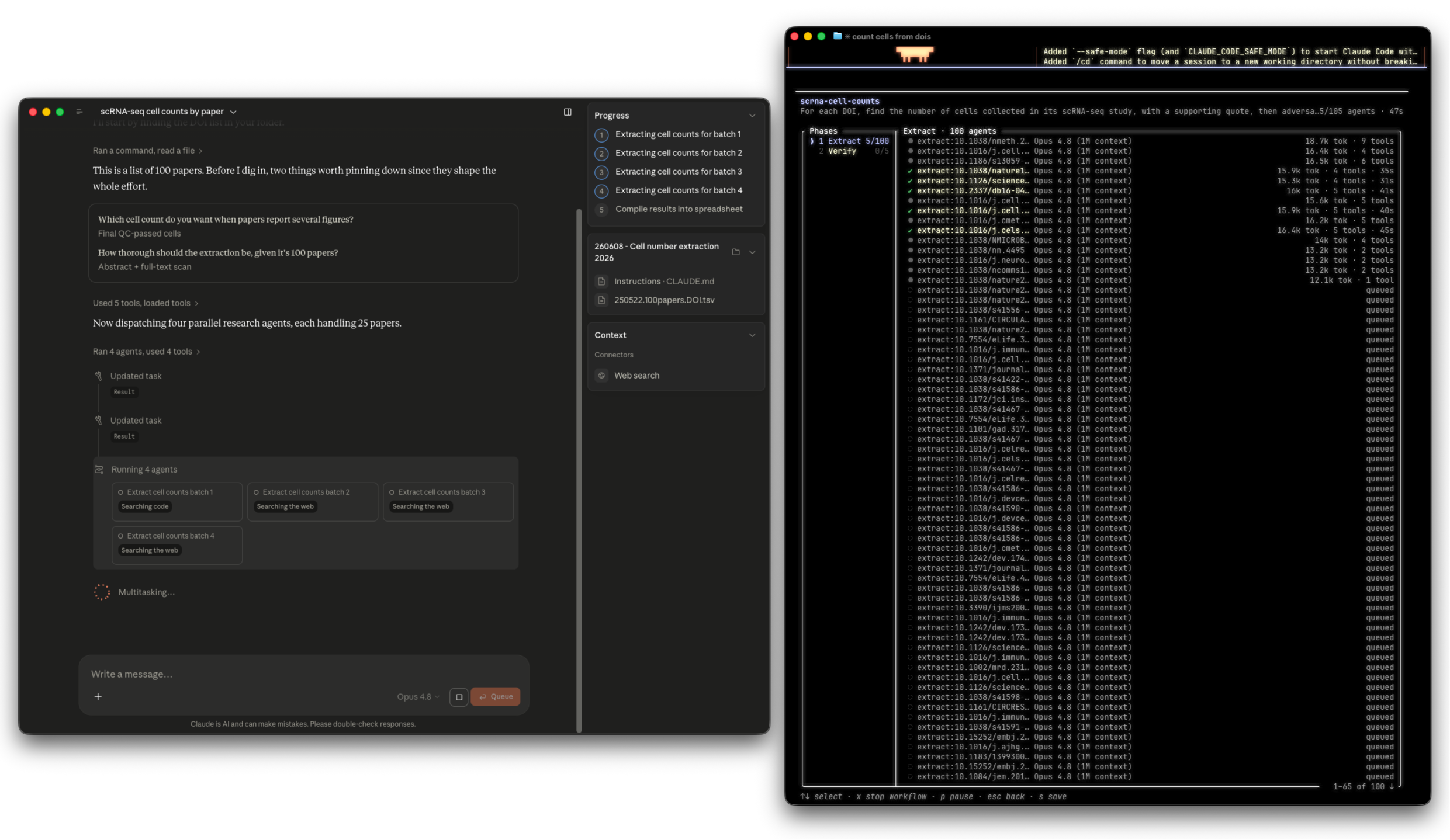
Both the tools used Opus 4.8. After some time the agents finished, and I had them write out files with the results so I could join it with a TSV of the manually curated cell numbers for a comparison.
The experience between the tools are a bit different. Since Cowork doesn’t have an auto mode it needs approval whenever it wants to read a different URL.
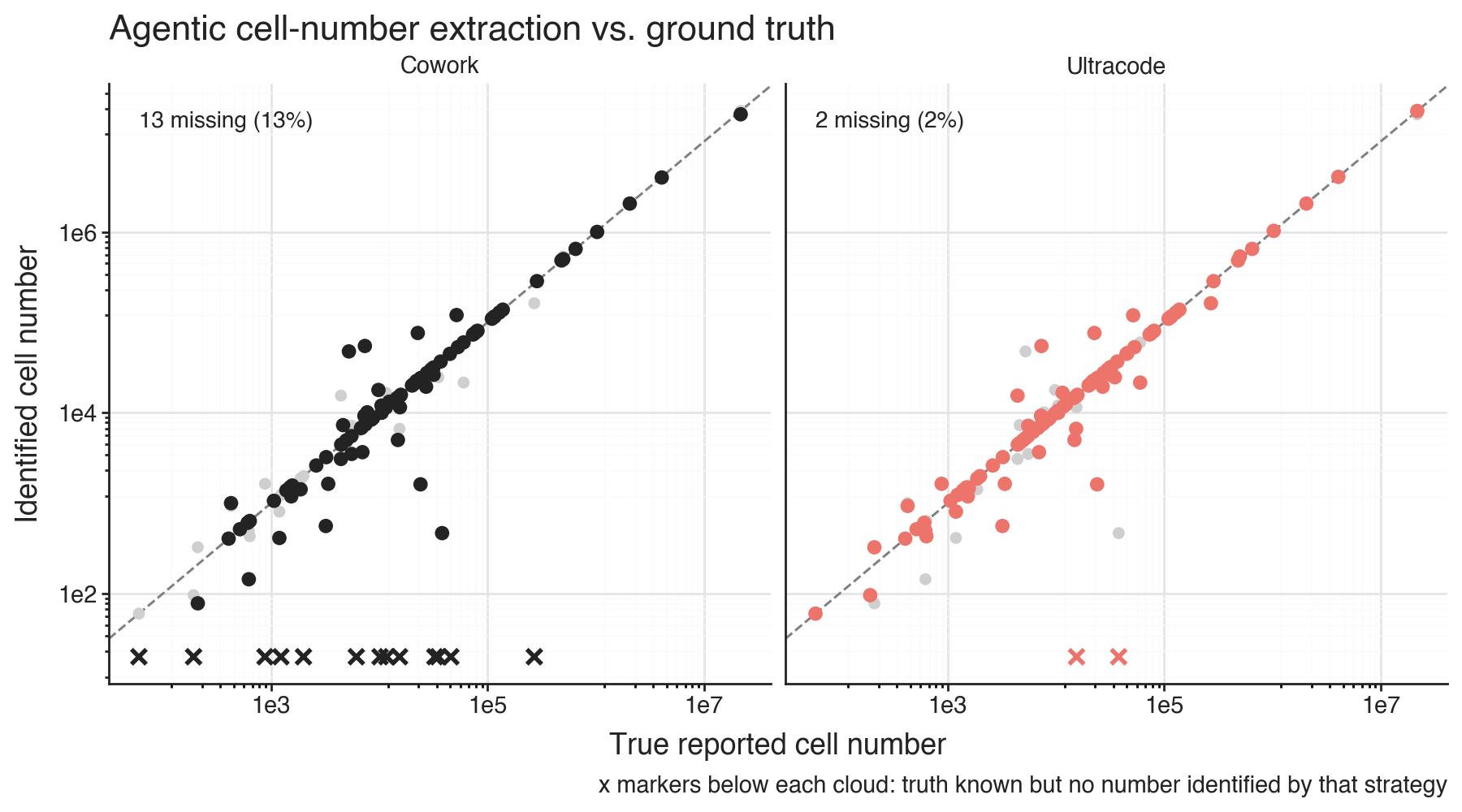
Cowork failed to find cell numbers for 13% of the papers, and had exact match for 46% of the papers. The Claude Code with Ultracode approach failed to find cell numbers for 2% of the papers, while it had exact match with manual curation for 57% of the papers.
Both tools annotated where and how they found the cell numbers as a column in the results tables. Neither of them looked up the numbers in the single-cell studies database.
In both quality of results and ease of workflow, the there’s been a huge improvement from last year.
The difference between the tools is interesting. Claude Code used about twice as many tokens as Cowork for the full task. The results are better, and included verification and spot checking of the results, and finished faster since it could do more searches in parallel. On the other hand, dragging a TSV into the Cowork tab of the Claude app is a lot easier than learning the concept of how to install a CLI application and use it.
From around the web
